Without Internet, You Need More Than a Page You Can Type On
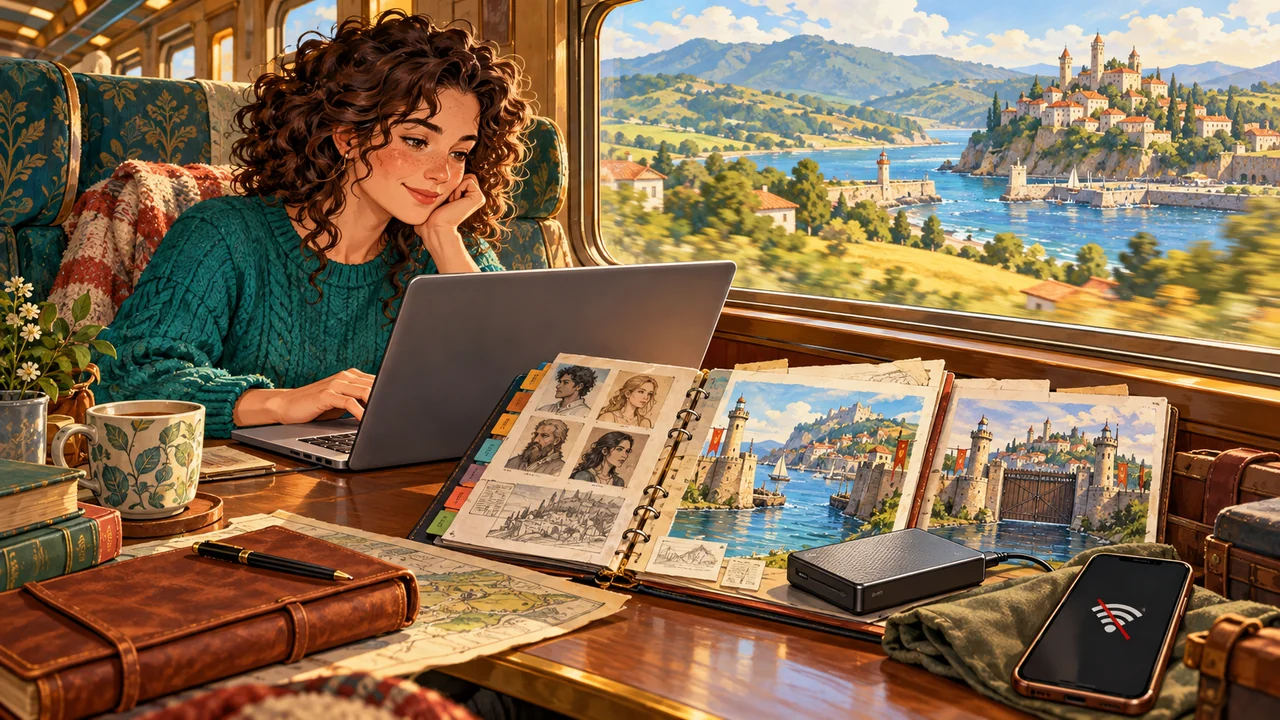
You take your laptop out, ready to continue Chapter Eleven.
Your coffee has arrived. The story is waiting at a point you are eager to write past. But the internet connection will not work.
If the manuscript is on your computer, that is usually manageable.
A few sentences later, though, you need to check something. Where is the protagonist now? Has the harbor he plans to return to already been closed off? Is the guard from the earlier scene still there?
You also want to add a conversation in Chapter Three.
The harbor should still be open then. Its later closure should not make the people in that earlier chapter behave as though they already know what is coming.
At that point, a working text editor is only part of what you need.
You need your chapters, character and location records, and a way to establish what those records should show at different points in the story.
Choosing offline novel writing software means asking more than “Can I still type without internet?”
It also means asking: when I write the next sentence, is the information that supports it within reach?
Offline Writing, Local Storage, Sync, and Backup Are Different Things
Many writing tools advertise offline access, autosave, or cloud synchronization.
These features can coexist, but they solve different problems.
| Feature | What it does | What it does not necessarily mean |
|---|---|---|
| Offline writing | Keeps a certain range of editing functions available without internet | Every feature and attachment is available offline |
| Local storage | Keeps data on your computer or device | The data is encrypted or has a separate backup |
| Autosave | Saves current changes to the data you are working with | Every earlier version is retained or every accidental deletion can be recovered |
| Cloud sync | Keeps data updated across devices | A separate copy is protected from deletions and overwrites |
| Project backup | Preserves a project copy for recovery | The copy is complete or stored on a different device |
| Manuscript export | Creates a document for reading, submission, or transfer | Character records and functioning causal events are preserved too |
A tool might let you edit downloaded chapters offline while leaving images unavailable because they have not been downloaded.
It might also store text locally and synchronize it with other devices when a connection becomes available.
Both approaches are reasonable. What matters is whether the material and features you need are included in the tool’s offline capabilities.
Sync and backup are especially easy to confuse.
Sync can bring a new chapter to another computer. It can also bring an accidental deletion to that computer. A backup should let you recover a copy from before the unwanted change.
“Sync complete” is not the same as having a complete recovery plan.
Which Novel Writing Tools Work Offline?
Scrivener, Ulysses, Campfire’s desktop app, and InkWeave all offer writing environments that do not depend solely on a browser page.
However, they differ in how they store data and which tasks require a connection.
| Tool | Creative work available locally | Connection requirements to check |
|---|---|---|
| Scrivener | Manuscript text, chapter structure, research saved in the project, and document export | Initial activation and license verification; cross-device synchronization requires a connection |
| Ulysses | Sheets, groups, projects, and local notes on the device | iCloud synchronization requires a connection; confirm that the material you need is on the device before leaving |
| Campfire desktop app | Offline manuscript writing and worldbuilding module editing | Subscriptions require occasional online verification; exports such as DOCX require a connection, and some collaborator-uploaded images may not load offline |
| InkWeave | Local manuscript text, volumes, chapters, world data, events, and TXT/DOCX export | Pro features require a valid license, with a limited offline grace period and periodic online verification |
This is not a simple division between tools that “work offline” and those that do not.
It is a comparison of how much of your work can continue once the connection is gone.
Scrivener: Manuscript and Research in a Local Project
Scrivener organizes chapters, scenes, notes, and research within a single project.
You can edit the manuscript offline, rearrange documents, and consult material already saved in the project. Autosave, project backups, and Compile exports are also important parts of its workflow.
An external website link still requires internet access. Content already saved into the project is a different matter.
Ulysses: Writing on Your Device, with Optional Synchronization
Ulysses manages text through a library, groups, and projects, with writing environments for Mac, iPad, and iPhone.
You can work with local notes or use iCloud to synchronize between devices.
These approaches are compatible. However, the latest changes from another device will not appear on your current device until synchronization has finished.
Before writing offline, confirm that the chapters and reference material you need have arrived. Knowing that they exist on another computer is not enough.
Campfire: Offline Manuscript and Worldbuilding Work on Desktop
Campfire is not limited to online use.
Its desktop app supports offline writing and editing in character, location, and other worldbuilding modules.
That does not make every operation available without internet. For example, exports such as DOCX require a connection, and some images uploaded by collaborators may be unavailable offline.
If worldbuilding records are essential references while you write, include them in your offline test. Typing a paragraph alone will not tell you whether the whole workflow is available.
InkWeave: Local Manuscript, World Data, and Causal Computation
InkWeave stores manuscript text, volumes, chapters, and world data in a local project. TXT and DOCX manuscript exports are also processed locally.
Characters, items, locations, and factions are more than reference pages beside the manuscript. Movement, transfers, identity changes, and other writer-confirmed events can change world state along the manuscript’s sequence.
The local Causality Engine calculates those states. It does not need to send your manuscript to a remote AI service for judgment.
Local computation and license verification are separate matters, however.
InkWeave’s Pro features have a limited offline grace period and still require periodic online license verification. “The data and calculations stay local” should not be read as “every paid feature works indefinitely without any connection.”
More Than the Manuscript Should Stay on Your Computer
As you write a character, you gradually establish their background, location, possessions, and relationships.
You do not need to prepare all of that before you begin.
Start with one character and one harbor, then keep writing. When the character leaves, confirm a movement event. When the harbor is closed off, record the change in its state.
The story advances, and its world records grow with it.
You do not have to finish an entire worldbuilding database before starting Chapter One.
In InkWeave, you can create characters, items, locations, factions, races, classes, and custom attributes as your writing needs them. Changes that matter to later scenes can then be retained as events.
The project stores more than a description of the harbor.
It also retains when the harbor was closed off and how its state differs before and after that event.
Your local project preserves not only what exists in the story, but how it came to be that way.
See the World at the Point Where You Are Writing
Return to the harbor example.
In Chapter Three, the protagonist is still at the harbor.
In Chapter Five, he leaves and reaches a mountain city.
In Chapter Eight, a conflict causes the harbor to be closed off.
In Chapter Eleven, he prepares to return from the mountain city.
If you consult only the latest worldbuilding record, the harbor may always appear as “closed.”
But Chapter Three does not need Chapter Eleven’s answer.
| Your position in the manuscript | The protagonist’s location then | The harbor’s state then |
|---|---|---|
| Chapter Three | The harbor | Not yet closed off |
| After the movement in Chapter Five | The mountain city | Not yet closed off |
| After the closure event in Chapter Eight | The mountain city | Closed off |
| Before the return in Chapter Eleven | The mountain city | Closed off, with new restrictions on entry |
Once those changes have been confirmed and recorded, InkWeave’s Causality Engine can follow the manuscript’s sequence and calculate world state at the cursor.
The scene-aware panel and Inspector bring relevant information into view.
When you write about the protagonist, you can check his location, identity, and possessions at that moment. When you write about the harbor, you can see its state then, along with relevant characters and items.
If you have added character and location images, those can provide visual feedback while you write too.
When an established character and location appear close together in the text, InkWeave can show their current state and ask whether you want to record a movement.
You do not have to stop and recalculate the world in another spreadsheet. Check the information when needed, confirm the interaction, and continue with the next sentence.
If the passage is only a memory of the harbor rather than an actual return, you can leave it without a movement event.
The Causality Engine responds to your writing. The story remains yours to decide.
A Local Causality Engine Is Not an Offline AI Manuscript Reviewer
“Story-state tracking” and “logic validation” can sound as though AI is reading the manuscript and deciding which passages are unreasonable.
That is not how InkWeave’s Causality Engine works.
It is an engine developed by InkWeave, using explicit rules for state transitions, quantities, and event conditions.
A character’s location changes when movement is confirmed. An item’s holder changes when its transfer is confirmed. A location’s closure introduces new restrictions after that change is confirmed.
This is not AI auditing or a language model producing a plausible-sounding answer.
The Causality Engine works with world data you have explicitly established and events you have actually confirmed.
Suppose you return to Chapter Five and withdraw the protagonist’s movement to the mountain city.
If a later event requires him to depart from that city, it may now lack its prerequisite. The Causality Engine recalculates the revised event sequence and identifies problems within the rules you have modeled.
It does not rewrite the plot for you.
You can add another journey or have the protagonist depart from somewhere else.
Likewise, if a piece of information or a promise has never been defined as a state to track, the Causality Engine will not infer its importance from an ordinary sentence.
It does not need to interpret every literary meaning. Its job is to faithfully maintain the changes you have confirmed and check whether later events still respect them.
Backing Up the Story Is Different from Exporting the Manuscript
Local storage lets you manage your own files.
Those files still need backups.
A failed drive, an accidentally deleted folder, or an unwanted revision saved over the manuscript remains a risk even when the work has never been uploaded to the cloud.
In InkWeave, the complete project and manuscript exports serve different purposes.
| What you preserve | What it primarily contains | What it is useful for |
|---|---|---|
| The active local project | Current chapters, worldbuilding records, and recorded events | Everyday writing |
| A separate copy of the complete project | Manuscript text, world data, events, and project resources at the time of copying | Backing up the complete writing environment |
| A TXT manuscript export | Manuscript text readable in other text tools | Keeping a broadly compatible text copy |
| A DOCX manuscript export | A manuscript document for reading, editing, and submission | Sharing the manuscript with editors or other readers |
TXT and DOCX exports do not replace the complete world data.
They do not turn InkWeave’s characters, factions, events, and functioning causal state into a project that another writing tool can continue calculating.
You can therefore keep both kinds of copy.
Keep a complete project so the story can continue working in InkWeave. Keep a standard manuscript export so the text can be submitted, read, or used elsewhere.
Before backing up the complete project, wait for saving to finish, close InkWeave, and copy the entire project folder rather than selecting a single chapter file.
Preferably store the copy on another device or in a separate backup location. Another folder on the same drive will not protect you if that drive fails.
You do not need to edit the project’s internal data files to make a backup.
Test a Real Offline Writing Session Before Choosing
“Offline support” on a product page is a starting point.
Your own writing workflow is what you ultimately need to test.
You do not have to move the whole novel. One chapter, along with the character records, locations, and images you normally consult, is enough to begin.
| Test | How to check |
|---|---|
| Opening offline | Prepare the project, disconnect from the internet, then close and reopen the application |
| Editing the manuscript | Change a passage and reopen the project to confirm that the changes were saved |
| Managing chapters | Switch between chapters and confirm that the text you need is available |
| Consulting worldbuilding records | Open characters, locations, items, and necessary attachments |
| Using advanced features | With a valid license, test the tracking or validation features you need |
| Exporting the manuscript | Try your required format and check whether the export needs a connection |
| Checking backup completeness | Confirm that the backup includes important project data beyond the manuscript |
This does not require every writer to study file formats or learn programming.
It means using a small piece of real work to find out what remains available without internet.
If you write while traveling, include the material you use on those journeys. If you often revise offline, return to earlier chapters and check the worldbuilding information and story state at those points.
That will tell you more about whether a tool supports your work than a long list of feature names.
Frequently Asked Questions About Writing Offline with InkWeave
Can I Start Writing a Novel in InkWeave for Free?
Yes.
Free includes manuscript writing, volume and chapter management, and TXT/DOCX manuscript export.
Pro features, including character and world-state tracking, scene-aware feedback, and the Causality Engine, require the appropriate license.
You can start with the manuscript, see how the editor and chapter organization feel, then try working with the text and world together.
Does Local Storage Mean My Data Is Automatically Encrypted?
No.
Keeping data on your computer does not mean it has been encrypted or that other people using the computer cannot access it.
You still need to manage device login protection, file permissions, and backup locations.
If you place a project in a cloud-synced folder yourself, it will also synchronize according to that service’s settings.
Is InkWeave Available for Windows and Mac?
Yes. InkWeave has Windows and Mac versions.
The Mac version currently supports Apple Silicon. Before downloading, check that your hardware and operating system meet the requirements.
The computer you actually use belongs in any comparison of offline writing software.
Do I Need to Build the Entire World Before Using the Causality Engine?
No.
Start with the characters and locations you are writing about now. Add items, relationships, factions, and other states as needed.
Tracking only the changes that matter to later scenes is enough to begin receiving feedback.
You do not have to turn every conversation into data or prepare every answer from the final chapter before writing the first.
Offline Writing Keeps Creation from Waiting on a Connection
Some writers need synchronization across devices. Others want their work to stay primarily on their own computer. Some simply want to finish a scene on an afternoon when the connection is unreliable.
Those needs are compatible.
When choosing offline novel writing software, understand how its manuscript, reference material, exports, and licensing work separately. The word “offline” does not promise that every operation is covered.
What InkWeave keeps locally is more than a manuscript you can continue typing into.
Characters, items, locations, and events can accumulate their histories in the same project.
Return to Chapter Three, and the harbor is still the harbor as it was then. Continue Chapter Eleven, and its later closure comes into view.
Those states do not require an answer from a remote AI service. Nor do you have to reconstruct them from your notes every time.
The Causality Engine calculates locally, the scene-aware panel and Inspector provide feedback, and you continue writing.
To try this workflow, start with InkWeave Downloads and Pricing. Write a chapter, then follow the Getting Started Guide to add a character and location. You can build up the interaction as you go.
Losing the connection does not have to leave you with text alone.
The world you are writing can stay within reach too.