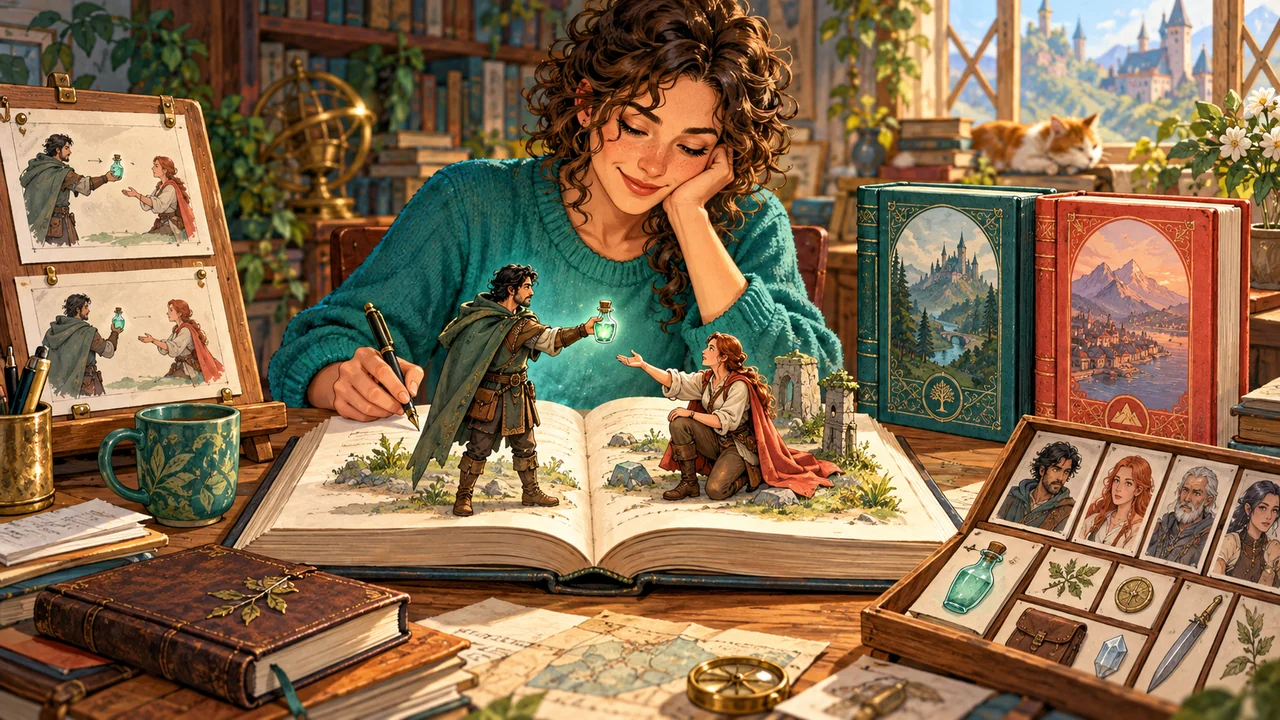
Drawing a branch is not the same as maintaining it
Flora has only one dose of antidote.
Her companion Milo holds out his hand.
You want to explore two possible futures.
In one, she gives it to him.
In the other, she keeps it.
Drawing those two branches is straightforward.
What needs more support is continuing the story.
Several chapters later, both versions encounter an injured person.
Who still holds the antidote?
Has it already been used?
Is Milo somewhere he can deliver it?
Have you confirmed that the injured person accepts it, or have you only written the characters preparing to help?
A clear branching diagram does not automatically answer those questions.
That does not make the outline less valuable.
It shows possible paths. The manuscript turns them into scenes. Saved versions preserve the different arrangements.
World state needs to remember what actually happened along a particular path.
So choosing tools for writing branching stories involves more than comparing how many arrows you can draw or drafts you can keep.
You also need to ask:
When you start writing one of those futures, can the tool let its world change through the events you confirm?
Ask which question each capability actually answers
Writing branching stories usually involves several kinds of work.
One product may support several of them, or you may combine different tools.
There is no need to force products into categories where they can only handle prose, worldbuilding, or branch planning.
A more useful comparison asks how far each capability goes.
| Capability | Main question it answers | Role in the antidote example |
|---|---|---|
| Outlining and branch planning | What directions could the story take? | Plan the paths where Flora gives away or keeps the antidote |
| Manuscript and chapter management | How do you write complete scenes and arrange their structure? | Write the negotiation, treatment, and later adventure |
| World data management | Who are the characters, and what are the items and organizations? | Establish Flora, Milo, and the antidote |
| Saving complete versions | How can each future be preserved? | Keep two sets of chapters, world data, and events |
| Causal state derivation and validation | Does the world at this point support the next action? | Check item possession, consumption, and explicit conditions |
These capabilities do not have to compete with one another.
But a familiar feature name does not mean every related task has been handled.
A timeline may let you arrange events.
You still need to check whether it can derive character and item states from those events at a particular point.
A character sheet may preserve detailed information.
You still need to check how identity changes, faction membership, or lost possessions become part of story time.
Multiple drafts may preserve alternative prose.
If the characters, items, and factions also differ, you need to know whether their data is saved with each version.
Choosing a tool means more than checking that features exist.
It means understanding how they work together.
InkWeave is not just a checker. It is where you write the story.
InkWeave includes manuscript editing and tools for organizing volumes and chapters.
In the same writing environment, you can develop scenes, arrange chapters, and establish characters, items, locations, factions, identities, and attributes.
You do not have to finish the story elsewhere and then submit it for checking.
Nor does it add another separate set of world data for you to keep manually synchronized.
In the antidote example, once you have created Flora, Milo, and the antidote, you can write their negotiation directly.
When you confirm that Flora hands it to Milo, the transfer becomes an event at that point in the manuscript.
Item possession is no longer just a line you update on another data page.
It can be derived from the events.
Before the transfer, Flora still holds the antidote.
After it, the world recognizes the new holder.
Character growth and organizational changes can also stay at the positions where they happen.
Changes to a character’s race or class, increases or decreases in attributes, faction membership, organizational titles, and reporting relationships do not have to overwrite one permanently up-to-date record.
When needed, you can use the Inspector to check the state at that moment, along with relevant event histories and organizational structures.
Together, these capabilities do more than give your information somewhere to live.
They let the manuscript and world data operate along the same story timeline.
Try how the world responds while you write
You do not need a large project to evaluate a writing tool.
Try a scene you are already thinking about.
In InkWeave, you can start with the characters and item in front of you, then record one transfer.
You do not need every faction, class, or future chapter first.
When an established Flora, Milo, or antidote appears in the manuscript, the scene-aware view and Inspector can show its relevant state at the cursor’s position in the story.
You are still writing why Milo holds out his hand.
Whether Flora trusts him.
The pause in her fingers before she gives him the vial.
Relevant information stays beside the prose. You do not have to leave the sentence you are writing each time to search character and item notes.
When a character appears near an item, InkWeave can show its current ownership and let you confirm an acquisition, placement, or transfer.
If the characters are only discussing the antidote, you can skip the event prompt.
Only after you confirm the handover does possession change through that event.
This is not simply about making the interface more active.
It gives the adventure you are imagining a response you can see.
| Action to try | What to look for |
|---|---|
| Create the characters and antidote this scene needs | Can you start writing with a little data, without building the entire world first? |
| Confirm Flora’s transfer of the antidote | Does its holder change through the event? |
| Move the cursor to before the transfer | Can you see the state at that moment, rather than only the latest result? |
| Record another transfer by Flora later | Does validation check whether she actually holds the antidote then? |
| Revise the earlier acquisition event | Do later transfers or consumption events reveal a missing source? |
These tests are more concrete than a long feature list.
The moments you will keep returning to are the middle of a scene, the middle of a revision, and the point where you look back at earlier chapters.
Whether the tool can bring the world into view at those moments directly affects how you write.
Saving complete versions and validating causality do different jobs
Giving away the antidote and keeping it can develop into two complete versions.
In the handover timeline, Milo holds it.
In the other, Flora still has it.
Both versions may change again later.
Milo could give it to someone else. Flora could use it.
You could arrange for it to be lost, or have the characters never get a chance to treat the injured person.
Each change needs to remain within its own timeline.
Saving complete versions answers how to preserve both futures.
The causality engine checks whether events still hold up within the future currently open.
Being able to switch versions does not mean a tool understands the story.
Causal validation does not mean it automatically creates an alternative plot.
Want to keep both futures, one where Flora gives away the antidote and one where she keeps it, and continue writing each?
Follow the What If Branching and Multiverse Story Tutorial to save and switch between complete story versions, preserving chapters, characters, items, and events together.
This workflow uses an external versioning tool. It is not a built-in, one-click branching feature in InkWeave.
Before saving or switching versions through that workflow, completely close InkWeave and follow the tutorial. This prevents autosave from writing content into the wrong version.
The external version-saving workflow works with the free edition. The scene awareness, causal state derivation, and automatic validation described in this article are InkWeave Pro features.
When you reopen a version, the causality engine derives its state from the events saved in that timeline.
It does not bring an antidote into this world because another version still has one.
Different futures can use the same characters.
They do not have to share histories that have already diverged.
The causality engine does not ask AI to guess the plot
InkWeave uses its own custom-built causality engine.
Validation of items, locations, and event conditions is not delegated to AI reading passages and guessing whether a character has forgotten something.
You establish the initial data and confirm world events.
The causality engine derives states in chapter and event order, then checks the prerequisites required by later events.
The same model, rules, and event sequence produce consistent results.
The mathematical guarantee applies to the world model you have explicitly defined.
Suppose Flora has given away her only dose of antidote, has not acquired another, and is later supposed to hand over that same dose.
With the relevant events recorded, the causality engine can identify the possession problem.
But it does not decide that the antidote will work on every injured person.
Nor does producing the vial automatically mean treatment is complete.
If a later scene requires “The injured person has accepted the antidote,” you can explicitly define that flag, record it once the handover’s outcome is confirmed, and place the corresponding condition check where it is needed.
Item transfers and treatment outcomes are different facts.
The characters’ emotions are not decided for you, either.
Milo could receive the antidote and feel grateful, become suspicious, refuse to use it, or give it to someone else.
Those developments are yours to write.
The causality engine preserves the consequences of confirmed events.
It does not choose what those consequences should mean.
This is not AI writing, AI auditing, or a workflow that waits for AI to guess the story correctly.
The causality engine itself performs the state derivation and validation.
When choosing a tool, check what happens after a revision
The first handover is usually easy to remember.
Revision is where differences in workflow become clearer.
You return to an earlier chapter and decide that Flora never acquired the antidote.
That is more than changing a sentence.
If you also remove the acquisition event, the later transfer loses its source.
Further consumption events and explicit conditions that depend on that dose need to be rechecked as well.
InkWeave’s validation can show the modeled problems, while the project-wide validation dashboard helps you return to the relevant chapters and event positions.
You can have Flora acquire the antidote from someone else.
You can remove the handover.
Or you can keep the loss and let later scenes genuinely change.
The causality engine will not supply another vial for her.
It shows you which later decisions the revision calls for.
When evaluating tools for branching stories, it is worth asking:
Does rearranging chapters change the event order accordingly?
What happens to later item use when an acquisition is removed?
Can you see the state at an earlier chapter, rather than only the latest state?
Does each complete version preserve its own world data?
These questions do not require every tool to solve the problem in the same way.
They help you understand how your chosen workflow handles the changes that writing actually involves.
You don’t have to wait for a complicated story to give it a memory
Giving a world causality does not require starting with an enormous setting bible.
You can begin with Flora, Milo, and one dose of antidote.
Write the negotiation.
Confirm the handover.
Add locations, factions, identities, attributes, and future conditions when the story needs them.
Characters can grow gradually. Organizations can take shape over time.
A small choice can lead to a much larger adventure.
The story’s current length does not limit where you can begin.
You do not have to wait until memory becomes a burden before attending to world state.
From the first confirmed event, InkWeave can place character and item changes in the manuscript’s timeline and show the world at that point while you write.
Its value is not only finding problems after a story becomes complicated.
It can also give you room to take a small story deeper and further.
When you do not have to carry every consequence alone, you have more attention to give the next choice.
A good writing workflow lets different futures continue
Branching stories are more than a few extra endings.
They can let you explore another life.
Preserve a meeting that never happened.
Take a character toward a different identity.
Or simply ask what the next chapter would become if she kept the antidote.
When choosing tools, outlines, prose, world data, versions, and causality do not have to be competing tasks.
They can support the same writer.
Outlines make different futures visible.
The manuscript turns choices into scenes readers can feel.
Saved versions preserve those futures.
InkWeave lets the manuscript and world data work together. Through its causality engine, it brings the states created by confirmed events back into the writing space.
You still shape the characters.
You still arrange the choices.
The world can faithfully remember what you have made happen.
What matters is not only how many drafts you can save, character sheets you can create, or paths you can draw.
It is whether, once you begin writing one of those futures, its world can keep moving with you.