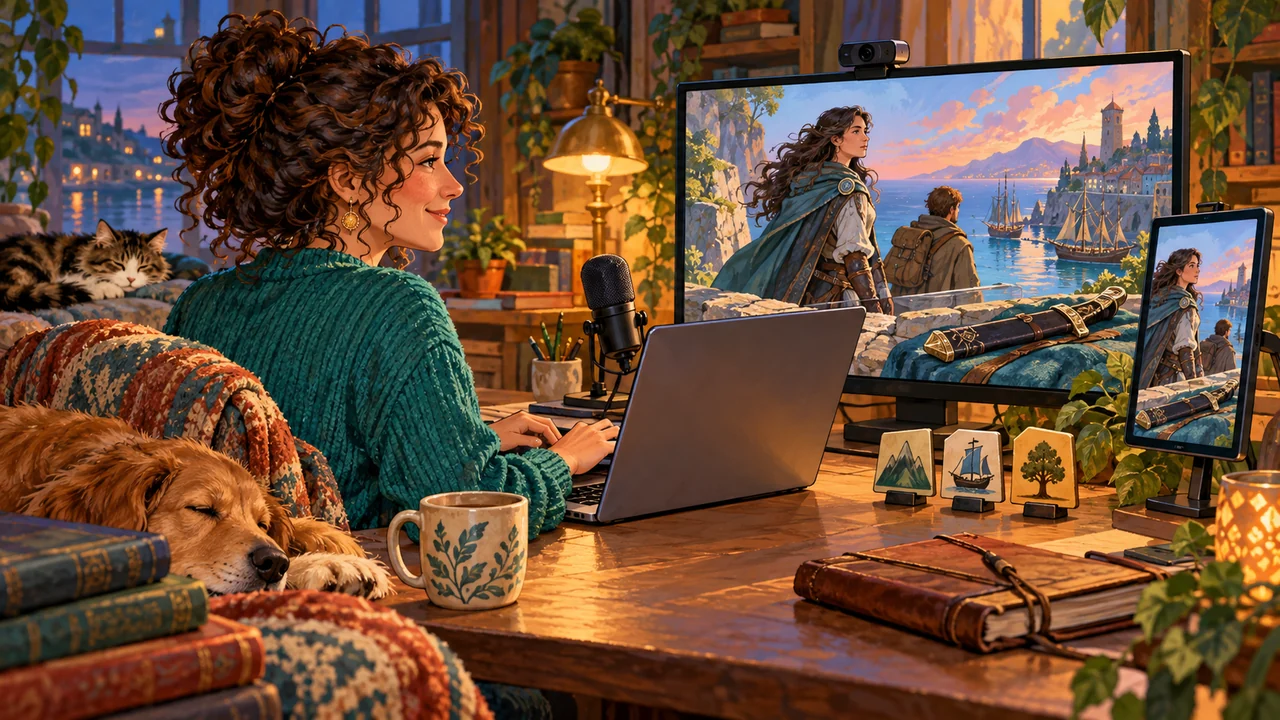
Wanting Company While You Write Does Not Mean Sharing the Manuscript
You might want to livestream while writing a novel.
In the evening, you open an unfinished chapter and let a few people keep you company. Some chat occasionally; others watch quietly. Writing is no longer just you and the screen.
But you may not want the manuscript on the stream.
What a character says, what a conversation conceals, or why someone suddenly changes sides may be things you want readers to discover at the story’s own pace, once the work is ready.
InkWeave offers another way to share a writing session.
You continue writing in your editor, open a separate streaming window, and capture that window with OBS.
Viewers see the characters, locations, items, state descriptions, and questions and options presented by the scene-aware display and event helper.
The manuscript you are editing is not transmitted to that window through the scene synchronization feed.
A viewer might learn that a character is in Ash Harbor. They still do not know why the character came there.
Curiosity can begin before you share the manuscript.
What Can Viewers See Without Reading the Text?
An exiled knight appears on screen.
Her displayed status places her in Ash Harbor.
Later, an Oath Sword appears in an item interaction. The event helper asks whether it should be handed to another character.
A viewer may pause.
Isn’t she a knight? Why would she give away her sword? What kind of place is Ash Harbor? And who is the unfamiliar traveler beside her?
Those questions do not require the full passage to be shown.
| What viewers see | What they might wonder | What they have not read |
|---|---|---|
| The knight is currently in Ash Harbor | Why has she come here? | Her purpose, journey, and the scene’s description |
| The Oath Sword appears in a transfer interaction | Why would she hand over this sword? | The motives, dialogue, and cost of the exchange |
| The event helper asks whether to establish a relationship | Could this be their first meeting? | Their conversation and how they regard each other |
| A question about a location’s access state appears | What is about to happen to this place? | The conflict and its full sequence |
| The event helper asks whether a character’s state should change | What is she going through? | How that change unfolds in the story |
Seeing a sword being handed over is different from reading the scene in which it happens.
Viewers can recognize people, objects, and places, and sense an interaction forming between them. The motives, dialogue, emotions, and narrative structure remain in the manuscript.
The stream becomes more than a view of someone typing. It can give people a first glimpse of a story they want to know more about.
A Knight, a Sword, and a Meeting Nobody Has Read Yet
Suppose you are writing about an exiled knight named Elin.
She arrives in Ash Harbor and meets a traveler called Kael.
Elin carries the Oath Sword. It matters to the story, but you do not yet want to reveal its history or let viewers read the negotiation between the two characters.
Start by creating Elin, Kael, Ash Harbor, and the Oath Sword.
You can create these records while writing by selecting their names in the manuscript. Character and item images can come from artwork you have prepared.
When you write about the established Elin, the scene-aware display brings back her state at the cursor’s position.
The streaming window can show her image and current location.
You then write about Kael.
If the Causality Engine finds no recorded relationship between them at that point, the event helper can raise a question: they seem not to have met before, so should a relationship be established here?
A viewer may wonder whether they are watching the beginning of that meeting.
They still have not read Elin’s first words, Kael’s response, or whether either trusts the other.
Later, the Oath Sword enters an interaction.
The event helper can show relevant possession information, ask whether an item transfer should occur, and present the available options.
You decide what happens.
Viewers see the sword becoming part of an event between two people. They know something worth noticing is happening, but not yet what it means within the story.
The same example could use an access chip on a space station, a recording in an urban investigation, or a letter that has not been sent.
The stream shows interactions between characters and world entities. It does not depend on a particular culture, genre, or existing fictional universe.
The Event Helper’s Questions Can Be Interesting to Watch
InkWeave’s scene-aware display does more than show character images.
When established world entities form a possible interaction in the manuscript, the event helper can ask questions based on their state at that point.
Two characters may need a relationship or meeting location confirmed. A character and item may involve acquisition, use, placement, or transfer. Interactions involving characters and locations can also lead to questions about character state and access conditions.
| Interaction | What the writer can decide | What viewers might wonder |
|---|---|---|
| Character relationships | Whether to establish a relationship or define it further | What kind of relationship will these two develop? |
| Character locations | Whether movement occurs and how the meeting becomes possible | Where are they going? |
| Item interactions | Whether an item is acquired, placed, used, or transferred | Why does this object matter? |
| Character state | Whether the state stays unchanged or a new state is recorded | How will this event change the character? |
| Location state | Whether access conditions change | What will happen to this place next? |
These questions do not complete the plot for you.
“Should a relationship be established?” does not mean the characters are already friends. A question about changing a character’s state does not mean that change has happened.
The questions bring possible changes into view. The final decision remains yours.
For viewers, the questions and choices can themselves be engaging.
They may wonder which option you will choose. Character images, the appearance of an item, or a change of location may gradually give them ideas about the story.
You can answer some questions and leave others for the finished work.
“This sword matters later” can be enough to sustain curiosity. You do not have to read the entire negotiation aloud.
Keep Writing While the Causality Engine Shows the State at That Moment
The character states and event questions are not produced by AI reading your manuscript and guessing what you intend.
InkWeave uses its own self-developed Causality Engine.
Character locations, item possession, relationships, and other established states are derived from writer-confirmed events and explicit rules for state transitions and quantities.
Before Elin arrives in Ash Harbor, the Causality Engine does not bring that later arrival into the past.
After she hands over her one Oath Sword, it cannot treat her as still holding it unless she acquires it again.
When you return to an earlier passage, the scene-aware display updates to reflect that point in the story.
The streaming window receives this scene and interaction information. It does not ask AI to rewrite your manuscript as a separate performance.
You therefore do not need to maintain two parallel sets of content: one for the novel and another telling the stream who should appear, where they are, and which item is involved.
Create characters and confirm events within your usual writing workflow. The scene-aware panel and Inspector return the corresponding state beside your work, while the streaming window presents the display information to viewers.
You do not have to stop for every response, either.
Confirm an interaction, skip it, or continue writing your paragraph.
Sometimes the display stays with one character while viewers quietly keep you company. At other times, an interaction gives the chat something new to ask about.
You do not have to make the story busier just to keep the screen changing.
Curiosity Can Start a Conversation and Give People a Reason to Read
A viewer might ask:
“Why is Elin in Ash Harbor?”
You can say that tonight you are working on the chapter after her arrival.
They ask again:
“Why would she give the sword to Kael?”
You can leave that reason unrevealed for now.
This kind of interaction does not require a full plot explanation or constant commentary.
Viewers have a display to watch, characters to recognize, and events to notice. You decide when to respond and how much to share.
When the work is published, readers can encounter the meeting and discover what those glimpses meant.
So that was why Elin gave away the sword.
That relationship question accompanied this particular conversation.
Ash Harbor was not merely a backdrop; it mattered to what happened in that chapter.
The stream can introduce parts of the story without delivering the complete reading experience in advance.
Viewers’ guesses and suggestions do not automatically become world events.
They can ask, and you can listen. But who moves, who receives an item, and which relationships are established still require your confirmation.
Having company while writing does not mean handing the story over to the chat.
Use OBS to Capture the Streaming Window
InkWeave provides a separate streaming window.
OBS captures that window and sends the output to the streaming platform you configure.
To share the scene-aware display, select that dedicated window in OBS. Keep the manuscript editor on your own working screen.
Choose the Orientation for Your Platform
Landscape and portrait layouts match the way the stream will be viewed.
They are not a distinction between writers using computers and writers using phones.
| Orientation | Typical use | Common aspect ratio |
|---|---|---|
| Landscape | Streams intended for horizontal viewing, such as on YouTube | 16:9 |
| Portrait | Platforms centered on vertical viewing, such as TikTok | 9:16 |
Both layouts use the same project and scene information.
You do not have to recreate characters for a portrait stream or write a separate story for another platform.
After choosing the orientation, match the OBS canvas and source dimensions to that layout.
Begin with a Short Test Recording
InkWeave’s streaming mode requires an active subscription. With a valid subscription, open it from the editor toolbar and choose a landscape or portrait layout.
| Step | What to do |
|---|---|
| Open the streaming window | Choose the orientation you need in InkWeave |
| Bring up a scene | Return to the manuscript and trigger an established character, location, or event interaction |
| Select the source | Capture InkWeave’s dedicated streaming window in OBS |
| Adjust the layout | Fit the source to the landscape or portrait canvas |
| Make a test recording | Write a few sentences, switch characters, and confirm an event interaction |
| Go live | Configure the connection to your chosen platform before starting the stream |
On Windows, OBS offers a Window Capture source.
On newer versions of macOS, use macOS Screen Capture and select the single-window capture method.
The target is InkWeave’s dedicated streaming window, not the whole desktop or the entire application.
If the window initially shows a waiting screen, return to the manuscript and trigger a scene update so it receives the relevant information.
For the first test, check that character images, state descriptions, and event options are clearly visible. That is enough to begin getting familiar with the format.
You still configure the OBS connection to your streaming platform separately. Opening InkWeave’s streaming window does not itself start a public broadcast.
Keep the Manuscript for the Work, and Let Viewers See the Story Coming to Life
Your first writing stream does not require a complete world.
One or two characters, an important item, and a location are enough to see the basic interactions.
Character records can be created while you write. Images can be added gradually. Changes that actually happen can be retained through confirmed events.
You do not have to prepare an entire set of streaming assets before writing the first passage.
When Elin appears, viewers begin to recognize her.
When the Oath Sword enters an interaction, it gives them a reason to pay attention.
When the event helper asks about a relationship between two characters, they may begin wondering what the meeting will become.
Meanwhile, in your own editor, you are writing what those characters actually say.
That is the experience InkWeave’s writing livestream is designed to support.
You do not have to share every sentence of the manuscript for viewers to accompany you as characters, scenes, and events respond to your writing.
The stream can hold their curiosity. The work can hold the full story.
See the InkWeave Getting Started Guide for the workflow, and InkWeave Plans and Pricing for access to streaming mode.
Write a short passage and make a test recording.
Let people begin looking forward to the story while the manuscript stays private.